
For most social marketers, Carrd is the best overall Linktree alternative (full design control, under $20/year), Beacons leads for creator commerce, and WeLinks is the clear pick for Swiss businesses that need local data hosting. If you want the short version before diving in:
- Carrd — best overall; custom domain, full CSS control, free tier available
- Beacons — best for creators selling products; built-in payments, free tier
- WeLinks — best for Swiss users; hosted in Switzerland, FADP/GDPR-aligned, integrates with Gencie WeBoard analytics (details below)
- Buffer Start Page — best free option for Buffer users; zero cost, minimal setup
- Taplink — best for small businesses needing forms and lightweight payments on their bio page
Swiss note: Most tools on this list process data on US or EU servers. If your business handles Swiss customer data, check the vendor’s data processing agreement before signing up. WeLinks is the only tool here with confirmed Swiss hosting.
Table of Contents
- How do these Linktree alternatives actually compare?
- Short reviews: what each tool actually delivers
- How to pick the right alternative for your situation
- How to migrate from Linktree in 7 steps
- Switzerland-specific considerations for link-in-bio tools
- Key Takeaways
- The case for owning your link page, not renting it
- Aboocha: a different kind of bio link destination
- FAQ
How do these Linktree alternatives actually compare?
The table below covers the 29 tools in this roundup across the dimensions that matter most for marketers: price, customization, analytics, commerce, custom domains, mobile, and GDPR/privacy posture. Swiss-hosted options are flagged.
| Tool | Free Tier | Paid From | Best For | Custom Domain | Analytics / Pixel | E-commerce | GDPR / Data Location |
|---|---|---|---|---|---|---|---|
| Carrd | Yes | — | Full design control | Yes (paid) | Basic + embed | Limited | EU servers (verify) |
| Beacons | Yes | — | Creator commerce | Yes (paid) | Yes + pixel | Native payments | US-based |
| WeLinks | Verify | Verify | Swiss businesses | Yes | WeBoard analytics | Verify | Swiss-hosted |
| Taplink | Yes | ~$3/mo | Forms + payments | Yes (paid) | Basic | Payment forms | EU servers |
| Pallyy | Yes | — | Social teams | No | Basic | No | EU servers |
| Shorby | No | ~$15/mo | Funnel links | Yes | Yes | Messenger CTAs | EU servers |
| Linkin.bio (Later) | Yes (limited) | — | Instagram analytics | No | Post-level | No | US/EU |
| Lnk.Bio | Yes | — | Ultra-simple lists | No | Minimal | No | EU servers |
| Replug | No | ~$19/mo | Retargeting | Yes | Pixel + UTM | No | EU servers |
| Leadpages | No | ~$37/mo | Landing pages | Yes | Full | Checkout | US-based |
| SeedProd | Yes (WP plugin) | ~$39/yr | WordPress users | Yes (via WP) | GA4 embed | WooCommerce | Self-hosted |
| Campsite.bio | Yes | ~$7/mo | Balanced customization | Yes (paid) | Basic | No | US-based |
| Bio.fm | Yes | Verify | Rich content blocks | No | Minimal | No | US-based |
| Smash Balloon | No | ~$49/yr | Social feed embeds | Yes (via WP) | Feed analytics | No | Self-hosted |
| Tap.Bio | Yes | ~$12/mo | Mobile-first cards | No | Basic | No | US-based |
| Woorise | Yes | ~$23/mo | Contests + lead gen | Yes | Campaign analytics | No | EU servers |
| Hopp by Wix | Yes (Wix plan) | Wix pricing | Wix users | Yes (Wix domain) | Wix analytics | Wix stores | EU/US |
| Milkshake | Yes | Verify | Mobile app builders | No | Basic | No | US-based |
| Stan | Yes | ~$29/mo | Digital product sales | Yes | Basic | Native | US-based |
| DotMe | Yes | Verify | Branded short links | Yes | Redirect tracking | No | Verify |
| OptimizePress | No | ~$99/yr | WordPress funnels | Yes (via WP) | Full | WooCommerce | Self-hosted |
| Jotform Apps | Yes | ~$34/mo | Forms-first pages | Yes (paid) | Form analytics | Payment forms | US/EU |
| Buffer Start Page | Yes | Buffer paid | Buffer ecosystem | No | Buffer analytics | No | US-based |
| Shor | Yes | Verify | Short links + bio | Yes | Campaign tracking | No | Verify |
| HighLevel | No | ~$97/mo | Agencies + CRM | Yes | Full + pixel | Full | US-based |
| EmbedSocial | Yes | ~$29/mo | Social proof embeds | Yes | Feed analytics | No | EU servers |
| Zite | Verify | Verify | Content aggregation | Verify | Basic | No | Verify |
| Capsulink | Yes | ~$7/mo | Branded short links | Yes | Campaign tracking | No | EU servers |
| Link in Bio | Yes | Free | Simple link lists | No | None | No | Varies |
Pricing note: Most tools cluster in the $7–$19/month range for their entry paid tier. Free tiers are common but typically limit custom domains, pixel support, or analytics. Tools marked “Verify” do not publish pricing publicly; check the vendor’s site directly.
Pros/cons snapshot:
- Carrd: Extremely affordable, full design freedom. Cons: no native analytics, limited for e-commerce.
- Beacons: Strong creator monetization. Cons: US data processing, branding on free tier.
- WeLinks: Swiss hosting, local analytics. Cons: smaller ecosystem than US tools.
Short reviews: what each tool actually delivers
Pallyy
Pallyy is a social media scheduling platform that added a link-in-bio feature rather than building one from scratch. The bio page is functional and clean, but it is the scheduling integration that makes it worth considering. If your team already manages posts in Pallyy, the bio page costs nothing extra to set up. The analytics are basic, and there is no custom domain on the free tier. Swiss users: EU server processing, but verify the DPA for your specific use case.
Pros: All-in-one scheduling + bio; clean UI. Cons: Bio page is secondary, not primary.
Shorby

Shorby is purpose-built for funnel-style link pages with messenger integrations (WhatsApp, Telegram, Messenger). Setup is fast, and the messenger CTA buttons are genuinely useful for direct-response marketers. No free tier, though, which is a real barrier for solo creators. Paid plans start around $15/month.

Pros: Messenger CTAs, fast funnel setup. Cons: No free tier, limited design flexibility.
Beacons
Beacons is the strongest pick for creators who sell digital products. The free tier is generous, and the native payment widgets mean you can take orders directly from your bio page without a separate checkout tool. Analytics include pixel support on paid plans. Data is processed in the US, so Swiss businesses with strict compliance requirements should verify the DPA.
Pros: Native commerce, pixel support, generous free tier. Cons: US data processing.
Linkin.bio (Later)
Later’s Linkin.bio maps individual Instagram posts to specific links, which is genuinely useful for content-driven brands running frequent campaigns. The post-level analytics tell you which content drives clicks, not just which links. The catch: it only makes sense if you are already using Later for scheduling. Standalone, it is overpriced for what it does.
Pros: Post-to-link mapping, Instagram-native analytics. Cons: Requires Later subscription, limited outside Instagram.
Carrd
Carrd is the best value on this list for marketers who want real design control. At under $20 per year for the Pro tier, you get a custom domain, custom CSS, and the ability to embed almost anything. Links on aggregator domains frequently misattribute social traffic in analytics, and Carrd on your own domain sidesteps that entirely. The limitation: Carrd is fast and inexpensive but businesses that need multiple service pages or advanced forms usually outgrow it.
Pros: Full design control, custom domain, very low cost. Cons: No native analytics, limited for multi-page needs.
Lnk.Bio
Lnk.Bio does one thing: a clean, fast link list. There is almost no learning curve, and the free tier is genuinely usable. If you need pixel support, retargeting, or commerce, look elsewhere. For a personal creator who just needs links organized, it works fine.
Pros: Dead simple, fast setup. Cons: Minimal analytics, no commerce, no custom domain on free tier.
Taplink
Taplink stands out by combining contact forms and payment collection inside the bio page, which most link-in-bio tools do not offer. Small businesses that want to capture leads or take deposits directly from Instagram will find it useful. Paid plans start around $3/month, making it one of the most affordable options with real functionality.
Pros: Forms + payments, affordable. Cons: Design is less polished than competitors.
Replug
Replug is not really a link-in-bio tool. It is a link shortener and retargeting platform that happens to support bio pages. The retargeting pixel features are strong, and branded CTAs on shortened links are genuinely useful for campaign-level tracking. If retargeting is your primary need, Replug earns its $19/month. If you just need a bio page, it is overkill.
Pros: Retargeting pixels, branded CTAs, campaign tracking. Cons: Expensive for basic bio use, no free tier.
Leadpages
Leadpages is a full landing-page builder, not a link-in-bio tool. It belongs on this list because many marketers use it to build a conversion-focused /links page with checkout widgets, countdown timers, and A/B testing. Starting around $37/month, it is only worth it if you are running paid campaigns that need real conversion optimization. US-based data processing.
Pros: Conversion tools, A/B testing, checkout. Cons: Expensive, US data, overkill for simple bio use.
WeLinks
WeLinks is the only tool on this list with confirmed Swiss hosting. It integrates with the Gencie WeBoard analytics platform, giving Swiss businesses local traffic data without routing it through US or EU processors. Swiss-hosted solutions reduce cross-border data-transfer complexity and help ensure alignment with the Swiss FADP and GDPR, making WeLinks the default recommendation for any Swiss SME with customer data obligations. Pricing is not publicly listed; contact Gencie directly.
Pros: Swiss hosting, FADP/GDPR alignment, local analytics. Cons: Smaller ecosystem, pricing not public.
SeedProd
SeedProd is a WordPress plugin that lets you build a branded /links page on your own domain. If you already run a WordPress site, this is a natural fit: your bio page lives on your domain, your GA4 setup stays intact, and WooCommerce handles any commerce. Around $39/year for the entry tier.
Pros: WordPress-native, custom domain, GA4-friendly. Cons: Requires WordPress, no standalone option.
Campsite.bio
Campsite.bio hits a reasonable middle ground: more customization than Lnk.Bio, simpler than Carrd. The analytics are basic but present, and the paid tier at around $7/month adds a custom domain. A solid choice for creators who want something that looks good without spending an afternoon on CSS.
Pros: Good balance of simplicity and customization. Cons: US-based, limited analytics depth.
Bio.fm
Bio.fm uses content blocks rather than a simple link list, so your bio page can look more like a micro-site. It is a better fit for creators who want to tell a story rather than just list links. Analytics are minimal, and pricing is not publicly listed for all tiers.
Pros: Rich block layouts, storytelling-friendly. Cons: Minimal analytics, verify pricing on vendor site.
Smash Balloon
Smash Balloon is a WordPress plugin suite for embedding social feeds into websites. It is not a link-in-bio tool in the traditional sense, but it is useful for brands that want a landing page rich with live social content. Requires WordPress and starts around $49/year.
Pros: Strong social feed embedding. Cons: WordPress-only, not a standalone bio tool.
Tap.Bio
Tap.Bio uses a card-based UI optimized for mobile, where each card is a separate screen the user swipes through. It is genuinely different from the standard link list and works well for mobile-first audiences. The free tier is limited; paid plans start around $12/month.
Pros: Unique card UI, mobile-optimized. Cons: No custom domain on free tier, limited analytics.
Woorise
Woorise is primarily a campaign and contest builder. Its bio page capability is a secondary feature, but for marketers running giveaways or lead-gen campaigns, the ability to embed contest forms directly into a bio page is genuinely useful. Paid plans start around $23/month.
Pros: Contest and form integration, campaign analytics. Cons: Overkill if you just need a link list.
Hopp by Wix
If you already have a Wix site, Hopp by Wix is the path of least resistance. It connects your bio page to your Wix domain and analytics without any extra setup. Outside the Wix ecosystem, there is little reason to choose it over Carrd or Beacons.
Pros: Seamless Wix integration, custom domain via Wix. Cons: Only makes sense for Wix users.
Milkshake
Milkshake is built entirely around a mobile app. You create and update your bio page from your phone, which is either a feature or a limitation depending on how you work. Templates are attractive and setup is fast. No desktop editor, no custom domain.
Pros: Mobile-native workflow, attractive templates. Cons: No desktop editor, no custom domain.
Stan
Stan is a creator commerce platform that happens to include a bio page. The real product is the digital storefront: courses, downloads, and memberships. If selling digital products is your primary goal, Stan competes directly with Beacons. Paid plans start around $29/month. US-based data processing.
Pros: Strong digital product sales, native checkout. Cons: Expensive for basic bio use, US data.
DotMe
DotMe focuses on branded short links and redirect management. The bio page feature is present but secondary. Useful for marketers who need to manage a portfolio of branded short links alongside a simple bio page. Pricing is not publicly listed for all tiers; verify on the vendor site.
Pros: Branded short links, redirect management. Cons: Bio page is not the core product.
OptimizePress
OptimizePress is a WordPress funnel and landing-page builder. Like SeedProd, it requires WordPress, but it goes further with full funnel sequences, order bumps, and membership areas. At around $99/year, it is only worth it for marketers already building funnels on WordPress.
Pros: Full funnel features, WordPress-native. Cons: Expensive, WordPress-only, overkill for simple bio use.
Jotform Apps
Jotform Apps lets you build simple app-like pages that combine forms and content. For lead capture from a bio link, it is fast and flexible. The form-to-page workflow is genuinely quick. Paid plans start around $34/month, which is steep for a bio page alone.
Pros: Fast form-to-page building, payment forms. Cons: Expensive for basic use, US/EU data processing.
Buffer Start Page
Buffer’s Start Page is the simplest free option on this list if you already use Buffer for scheduling. Setup takes minutes, and it integrates with Buffer’s analytics. No custom domain, no pixel support, no commerce. For a creator who just needs a free, functional bio page and already pays for Buffer, it is a no-brainer.
Pros: Free, fast, Buffer-integrated. Cons: No custom domain, no pixel, no commerce.
Shor
Shor combines short-link management with a bio page. The funnel features are present but not as deep as Replug or Shorby. Pricing is not publicly listed; verify on the vendor site. A reasonable middle option for marketers who want short links and a bio page without paying for two separate tools.
Pros: Short links + bio page in one. Cons: Pricing not public, smaller ecosystem.
HighLevel
HighLevel is an all-in-one marketing platform with CRM, automation, and landing pages. A bio page is a minor feature inside a much larger system. At $97/month, it is only relevant for agencies or SMBs that need the full stack. US-based data processing.
Pros: Full CRM + automation + landing pages. Cons: Very expensive, US data, massive overkill for bio use.
EmbedSocial
EmbedSocial specializes in embedding social feeds and review widgets into websites. Like Smash Balloon, it is not a standalone bio tool but a useful addition to a branded landing page. Paid plans start around $29/month. EU server processing.
Pros: Social proof embedding, EU servers. Cons: Not a standalone bio tool.
Zite
Zite is a start-page and content aggregation tool. It is less established than the other tools on this list, and pricing and data location are not publicly confirmed. Verify on the vendor site before committing.
Pros: Modern start-page UX. Cons: Limited public information; verify pricing and data location.
Capsulink
Capsulink is a URL shortener with campaign tracking and branded domain support. It is a cleaner, more affordable alternative to Replug for marketers who primarily need branded short links with tracking. Paid plans start around $7/month, and EU server processing makes it a reasonable option for European and Swiss marketers.
Pros: Affordable, branded domains, EU servers, campaign tracking. Cons: Bio page is secondary to link management.
Link in Bio (generic)
The generic “link in bio” category covers single-purpose tools that do nothing but display a list of links. No analytics, no commerce, no custom domain. Useful only as a temporary placeholder while you set up a proper branded page.
How to pick the right alternative for your situation
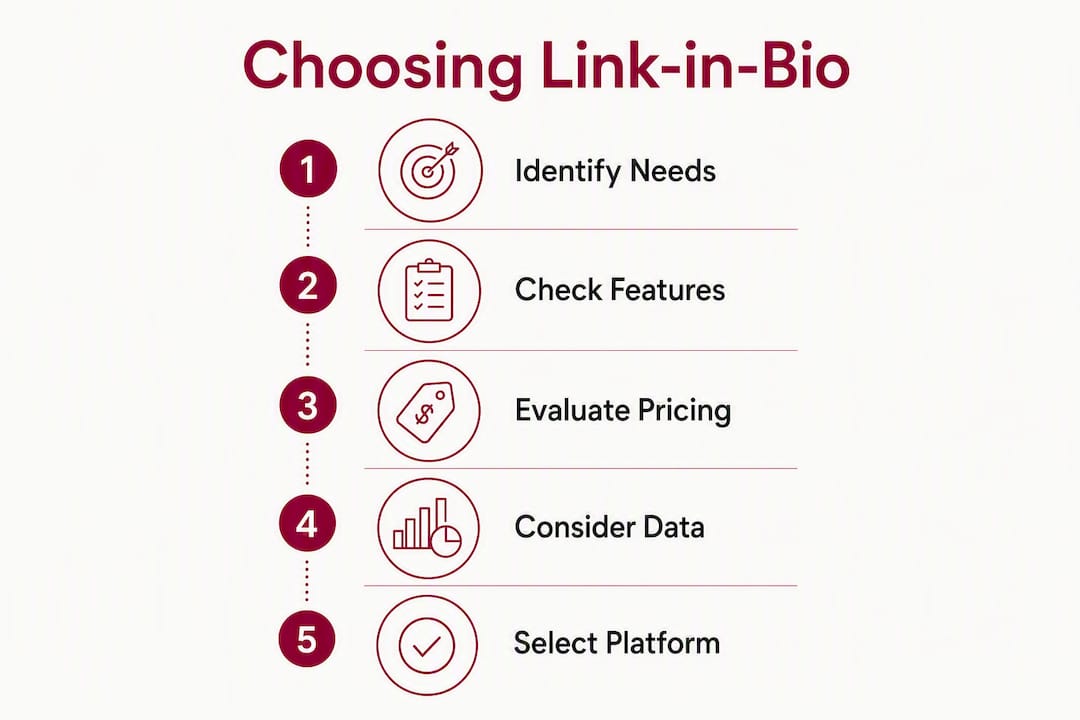
The decision is simpler than it looks once you answer four questions.
1. Do you need pixel and GA4 support? If you run paid social campaigns, this is non-negotiable. Tools without pixel support (Lnk.Bio, Buffer Start Page, Milkshake, generic Link in Bio) will break your retargeting audiences and misattribute conversions. A custom links page on your own domain keeps authority and analytics on your site and preserves GA4 referral chains. Carrd, SeedProd, OptimizePress, Replug, and Beacons (paid) all support pixel embedding.
2. Do you need a custom domain? A shared-domain bio page sends authority to the aggregator, not your brand. Links on aggregator domains frequently record incoming social traffic as direct or misattributed in analytics. If you have a domain, use it. Carrd, SeedProd, OptimizePress, Replug, Shorby, Leadpages, and WeLinks all support custom domains on paid plans.
3. Do you need e-commerce or payments? For digital products: Beacons or Stan. For physical products and subscription commerce: a branded landing page on your own domain with a proper checkout (Shopify, WooCommerce) is almost always better than a bio page payment widget. For simple deposit or appointment payments: Taplink.
4. What is your budget? Free with limits: Beacons, Carrd, Buffer Start Page, Lnk.Bio, Taplink. Under $10/month: Campsite.bio, Capsulink, Taplink paid. Under $20/month: Carrd Pro, Pallyy, Shorby, Linkin.bio. Premium: Leadpages, HighLevel, Stan.
Red flags to avoid during your trial:
- No pixel support and no plan to add it
- No custom domain option at any price tier
- Vague or missing data processing agreements
- No uptime SLA or status page
Questions to ask before committing:
- “Can I add a GA4 measurement ID and a Meta pixel to this page?”
- “Can I host this on my own domain without a redirect?”
- “Where are my visitors’ data and form submissions stored?”
- “What happens to my page if I cancel my subscription?”
Pro Tip: If you are torn between a polished bio tool and a branded landing page, launch the branded page first and use the bio tool as a router pointing to it. You keep full analytics control, and you can swap the bio tool later without losing any tracking data.
How to migrate from Linktree in 7 steps
Switching tools takes under two hours if you follow this sequence.
-
Pick your tool and plan. Sign up and choose the tier that includes a custom domain and pixel support. Do not start building on the free tier if you know you will need those features.
-
Recreate your page. Copy your existing Linktree links, titles, and images into the new tool. Most tools import nothing automatically; budget 20–30 minutes for this.
-
Add GA4 and your pixels. In your new tool’s settings, paste your GA4 measurement ID and any Meta, TikTok, or Pinterest pixel IDs. Test with GA4 DebugView and the Meta Pixel Helper browser extension before going live.
-
Test every link. Click each link from a mobile device and a desktop browser. Check that UTM parameters pass through correctly. A simple UTM structure to preserve campaign attribution:
?utm_source=instagram&utm_medium=bio&utm_campaign=[campaign_name]. -
Set a temporary redirect. If your Linktree URL appears in printed materials or older posts, set a redirect from your Linktree page to your new URL. Linktree’s paid plans allow a redirect; free plans do not. This is where a dynamic branded short link earns its keep: point the short link at your new page, and any printed material that carries the short link stays valid indefinitely.
-
Update your bio link. Change the link in your Instagram, TikTok, YouTube, and any other platform bio to your new URL. Do all platforms in one session to avoid split traffic.
-
Monitor the first 72 hours. Watch GA4 real-time for traffic attribution. Check that your pixel is firing on the correct events. If you see a spike in “direct” traffic, your UTM parameters may not be passing through correctly; re-check the link format.
Common troubleshooting:
- Broken embeds on mobile: Some tools block third-party scripts on mobile browsers. Test with Safari on iOS specifically, as it is the most restrictive.
- Custom domain DNS lag: DNS propagation can take up to 48 hours. Set your domain records early and test with a DNS checker before your go-live date.
- Pixel not firing: Most bio tools require you to paste the pixel base code, not just the ID. Check the vendor’s pixel documentation.
Pro Tip: Use a redirectable branded short link (like those from 2link.ch) for any printed packaging or flyers. When you switch tools again in the future, you update the redirect destination once and every printed piece stays current without a reprint.
Switzerland-specific considerations for link-in-bio tools
Swiss businesses face a specific compliance question that most link-in-bio comparison articles overlook: where does your visitors’ data actually go?
The Swiss Federal Act on Data Protection (FADP), revised in September 2023, aligns closely with GDPR but applies independently. If your bio page collects form submissions, tracks pixels, or processes analytics, you are likely processing personal data. Routing that data through a US-based processor without an adequate transfer mechanism creates legal exposure.
Swiss-specific checklist before you commit to a tool:
- Hosting location: Is the tool hosted in Switzerland or the EU? US-only hosting requires additional safeguards under FADP.
- Data processing agreement (DPA): Does the vendor offer a DPA that covers Swiss law, not just GDPR?
- Payment methods: Does the tool support TWINT, PostFinance, or Swiss bank transfers for commerce integrations? Most US tools do not natively.
- Language support: Does the interface and the bio page support German, French, and Italian? Several tools are English-only.
- VAT handling: If you collect payments through the bio page, does the tool generate receipts that comply with Swiss VAT requirements?
WeLinks is the only tool on this list with confirmed Swiss hosting. Its integration with the Gencie WeBoard analytics platform means your traffic data stays in Switzerland, which simplifies FADP compliance considerably. For Swiss SMEs managing customer data, Swiss-hosted solutions reduce cross-border data-transfer complexity and help ensure alignment with the Swiss FADP and GDPR.
For printed materials, a dynamic short link from a Swiss provider lets you update your destination URL without reprinting. Local Swiss link managers support dynamic redirects so you can update destination URLs behind a static printed short link, which is a practical operational benefit most marketers overlook when choosing a link manager.
Key Takeaways
The strongest Linktree alternative for most marketers is a branded landing page on your own domain, with a link-in-bio tool acting only as a router to that page.
| Point | Details |
|---|---|
| Best overall | Carrd gives full design control and custom domain support for under $20/year. |
| Best for creators | Beacons offers native commerce and pixel support on paid plans, with a generous free tier. |
| Best for Swiss businesses | WeLinks is the only Swiss-hosted option, aligning with FADP and GDPR without cross-border data transfer. |
| Analytics risk | Aggregator-domain bio pages frequently misattribute social traffic as direct in GA4; a custom domain fixes this. |
| Aboocha approach | Aboocha routes social traffic to branded product pages, keeping conversion analytics and retargeting pixels on its own domain. |
The case for owning your link page, not renting it
Most link-in-bio comparisons treat the choice as purely a feature checklist. That misses the bigger issue.
Every click that stays on a third-party aggregator domain builds that domain’s authority, not yours. Industry experts describe this as “authority leakage”: your social audience clicks your bio link, lands on linktree.com or beacons.ai, and your brand gets the traffic but not the SEO credit or the clean analytics chain. For a brand running paid campaigns, that broken referral chain means your attribution model is working with bad data from day one.
The practical recommendation for most marketers is not to pick the best link-in-bio tool. It is to use any of these tools as a temporary router while you build a proper branded landing page on your own domain. A custom links page keeps authority and analytics on your domain and can be created in under an hour on an existing site. The link-in-bio tool becomes a bridge you use while the branded page loads in the background, not the destination itself.
For For Swiss businesses specifically, the data sovereignty question makes this even clearer. A page on your own Swiss-hosted domain, with your own GA4 property and your own pixel, is cleaner from a compliance standpoint than any third-party tool, regardless of where that tool’s servers sit.
The tools on this list are genuinely useful. Carrd is excellent. Beacons is well-built. WeLinks solves a real problem for Swiss operators. But the best long-term answer is a branded page you control, with a link-in-bio tool pointing to it.
Aboocha: a different kind of bio link destination
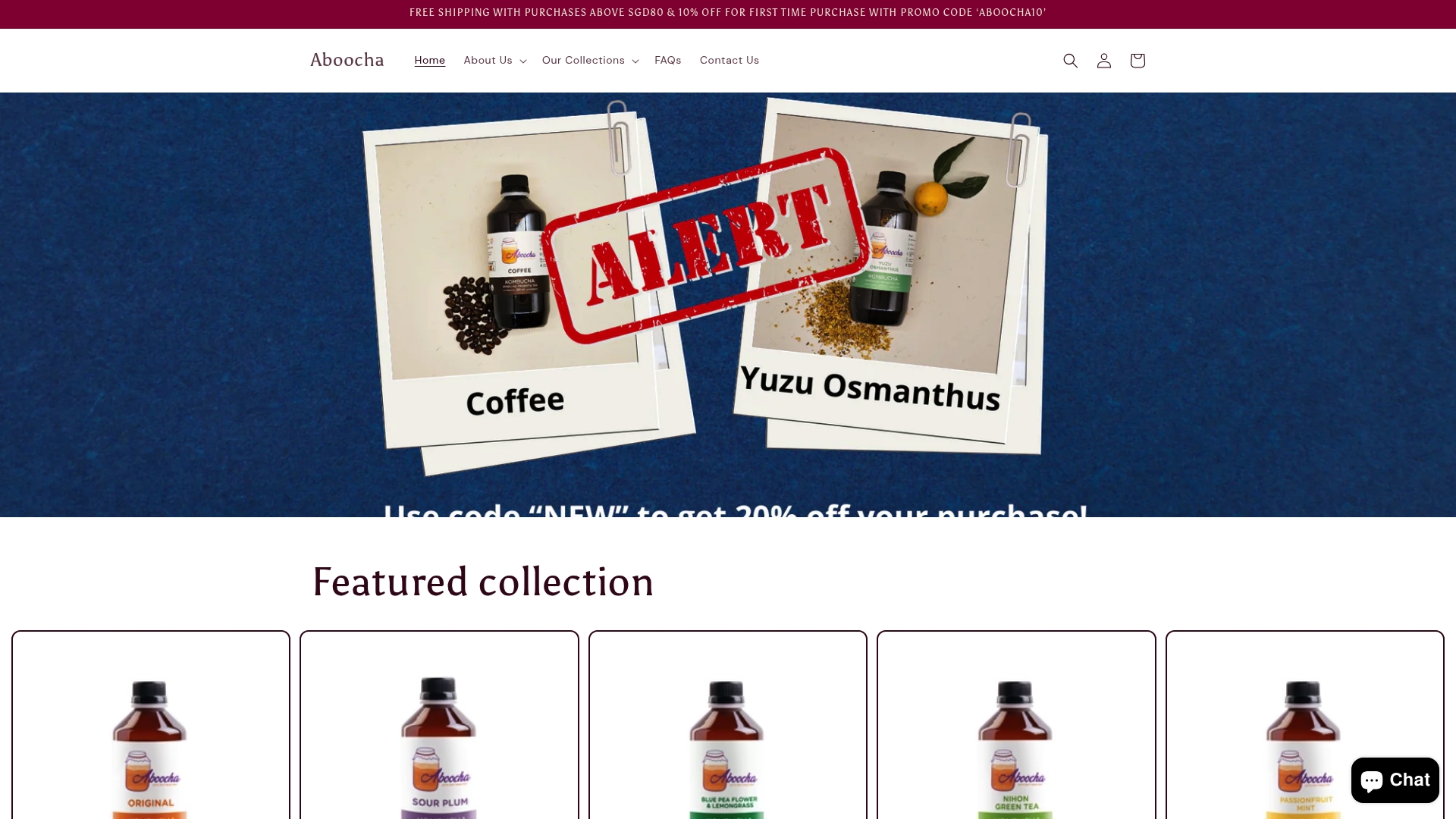
The tools above help you manage where your bio link points. Aboocha is an example of where it should point: a branded, conversion-ready destination that keeps your analytics, your pixels, and your customer relationships on your own terms.
Aboocha’s kombucha product pages are built to receive social traffic directly, with clean URLs, fast load times, and a checkout flow that does not route through a third-party aggregator. If you run campaigns pointing followers to a specific flavor or a subscription offer, the conversion data stays on your domain, not on a shared bio-page platform.
For health-conscious consumers in Singapore looking for lower-sugar, flavor-forward kombucha, Aboocha’s subscription plans make the bio link a genuine revenue driver rather than a link list. Browse the full range and place your first order at aboocha.com.
FAQ
Is there a better option than Linktree?
Yes. Carrd offers more design control at a lower annual cost, Beacons is stronger for creator commerce, and WeLinks is the better choice for Swiss businesses that need local data hosting. For marketers running paid campaigns, any tool that supports a custom domain and pixel embedding outperforms Linktree’s free tier on analytics accuracy.
Is Linktree or Carrd better?
Carrd is better for most marketers who want a custom domain and full design control. Linktree is faster to set up with no design decisions required. If you are willing to spend 30 minutes on setup and under $20/year, Carrd gives you a page that lives on your own domain and preserves your GA4 referral chain, which Linktree’s free tier does not.
Which Linktree alternative is best for Swiss businesses?
WeLinks is the only confirmed Swiss-hosted option, integrating with the Gencie WeBoard analytics platform and aligning with FADP and GDPR requirements. For Swiss SMEs handling customer data, it is the default recommendation. Capsulink and EmbedSocial both use EU servers and are reasonable secondary options.
Do free Linktree alternatives exist?
Yes. Carrd, Beacons, Buffer Start Page, Lnk.Bio, Taplink, and Milkshake all offer free tiers. The trade-off is consistent: free tiers typically remove custom domain support, pixel embedding, and advanced analytics. For a temporary or personal page, free works fine. For a business running campaigns, the paid tier of almost any tool on this list is worth the cost.
Can I keep my analytics when I switch from Linktree?
Yes, if you set up UTM parameters on every link and add your GA4 measurement ID and pixels to the new tool before you update your bio link. The migration steps above cover the exact sequence. The key risk is switching your bio link before installing the pixel, which creates a gap in your retargeting audiences.